
OopBuy QC Photos: Keep Visible Evidence in Context
Use OopBuy QC photos to decide whether a visible detail needs attention before shipping. Begin by matching the received item to your order; a clear image of the wrong option cannot answer your question. Photographs are not a substitute for wearing an item, testing a device or authenticating a brand.
Identify whose item the pictures show
Your order's warehouse pictures and another buyer's pictures have different uses. The first may show the item you will receive. The second can suggest a detail worth checking, but may concern another seller, version, size or colour. A catalog photograph is a third type: it shows how a listing presents the product, not a warehouse inspection result.
If you are searching for an OopBuy QC finder, check what the result actually matches. The same product name is not enough. Compare the product destination and selected option, then look for the context explaining which purchase produced the pictures. Do not copy a community approval onto your own order.
What the platform's inspection notice describes
OopBuy's inspection notice captured on 10 September 2026 described checks of quantity, colour, size and specifications. Its exclusions included colour differences, sizing error and effects in use; specialised technical quality and parts were also outside the stated scope. Certain sealed products were subject to exterior inspection rather than examination of their contents. This dated description is not a guarantee that every defect will be found or a record of the checks on your order.
The distinction matters: checking a selected size label is not proving that the garment will fit you, and a colour check is not a promise that a photograph reproduces its shade exactly. Ask about the particular concern instead of treating the word “inspection” as a complete answer.
Match the view to the question
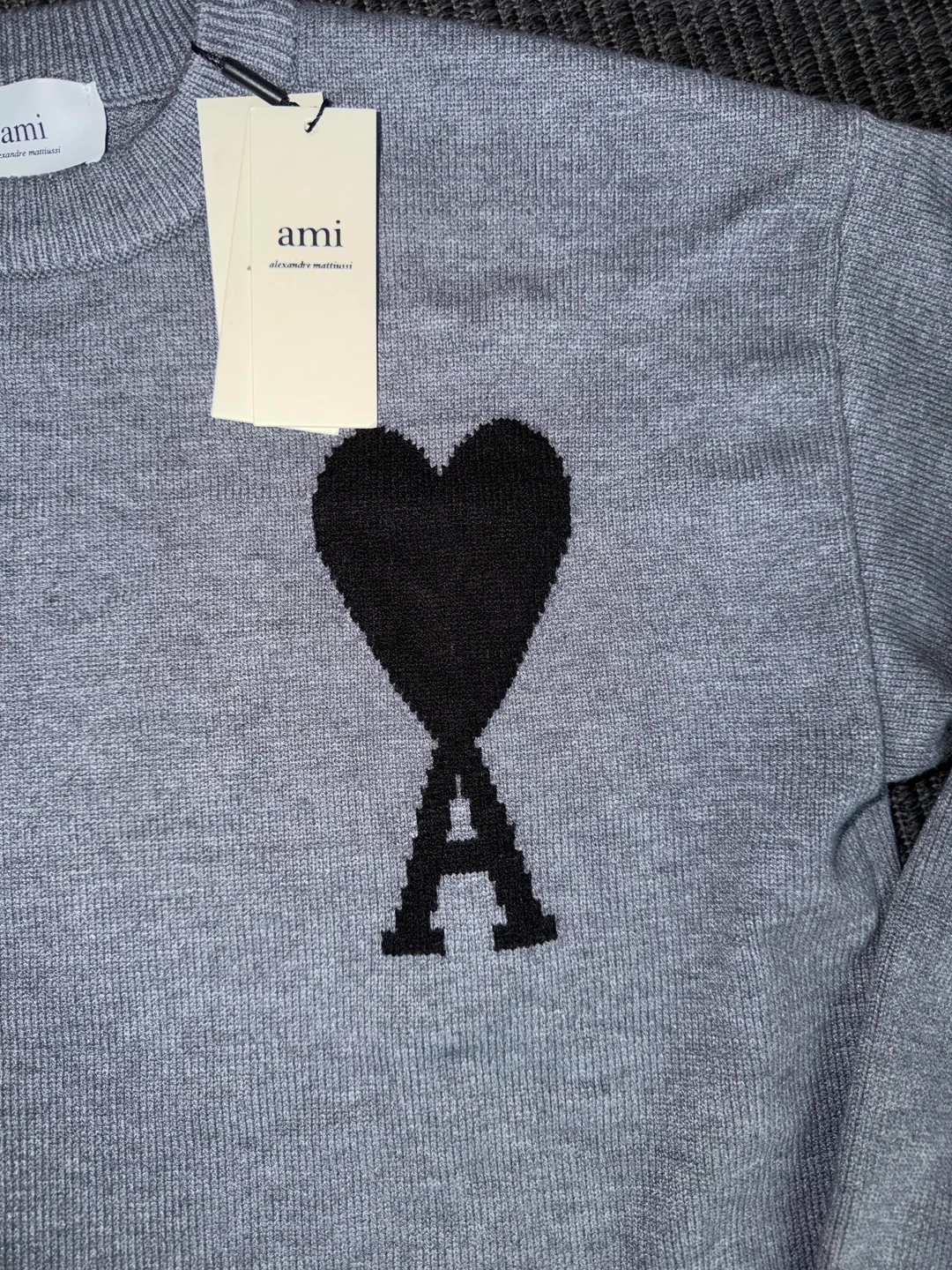
This public community image, inspected on 27 September 2026, comes from a post describing a received order, not a documented warehouse QC screen. It shows a motif, knit surface and tags, but no measurement scale. Use it to understand the difference between a detail view and a measurement: the visible texture does not establish fibre composition, and the tag does not prove authenticity or fit. It is not an image of the OG shirt linked below or of a customer's current order.
| Concern | View to request or inspect | Limit to keep in mind |
|---|---|---|
| Wrong item or quantity | Whole item or complete group with readable identifying details | A cropped view may omit another unit |
| Uneven print placement | Front view with the garment laid out and edges visible | Folding can make a centred design look displaced |
| Seam or fastening concern | Close-up plus a wider view showing its location | A close-up alone may hide which part you are seeing |
| Length question | Endpoints and readable measurement scale in one view | An angled scale or unclear starting point can mislead |
For a visual reference, open the white floral graphic T-shirt. Compare the intended design and selected option with the relevant order images, not with an assumption about how every shirt in the listing looks. This product link is not a QC gallery.
Turn an unclear measurement into a precise request
State the selected item and the dimension you need. For example, a request for garment length should identify where the measurement starts and ends. Do not confuse a flat chest width with a full circumference or a body-size recommendation. The size guide explains these comparisons.
Keep the original image when you make your own close-up for discussion. Cropping can help a reader find the issue, but should not hide the measurement endpoints or change the apparent defect. A photo that does not resolve the question is a reason to ask for clarification, not to invent a measurement.
Resolve the concern before packing
Describe the observable problem and the action you are asking about. Do not assume that flagging an image automatically pauses dispatch, starts a return or guarantees a refund. Check the response and the applicable timing through support before authorising the warehouse packing step.
If you share a picture publicly, remove names, addresses, phone numbers, account and order identifiers, and readable barcodes or QR codes. Keep the original privately for your own correspondence. Ask the image owner before reusing someone else's photos; removing a username does not grant permission to republish them.
Return to the OopBuy spreadsheet guide when the product question is resolved. QC is one step in the purchase, not proof of the later delivery or long-term condition.